Application Credential Setup
Create The Credential
Milkshake authenticates to your target OpenStack project with an application credential. Application credentials prevent over-exposure of your primary login secrets; they are essentially time-limited, RBAC'd tokens. Create a dedicated one for your migration. No roles are required; it inherits your existing capabilities. You paste its id and secret into the Milkshake entry page.
You can also sign in with your username and password, which is worth knowing about if you work across several projects: a credential is issued for one project and cannot be pointed at another, while a password sign-in asks which project you want and lets you change it later from the project button in the top bar. Milkshake never stores your password — it creates a short-lived application credential in the project you choose and uses that, exactly as if you had made one yourself.
- Open the Skyline UI and go to User Center.
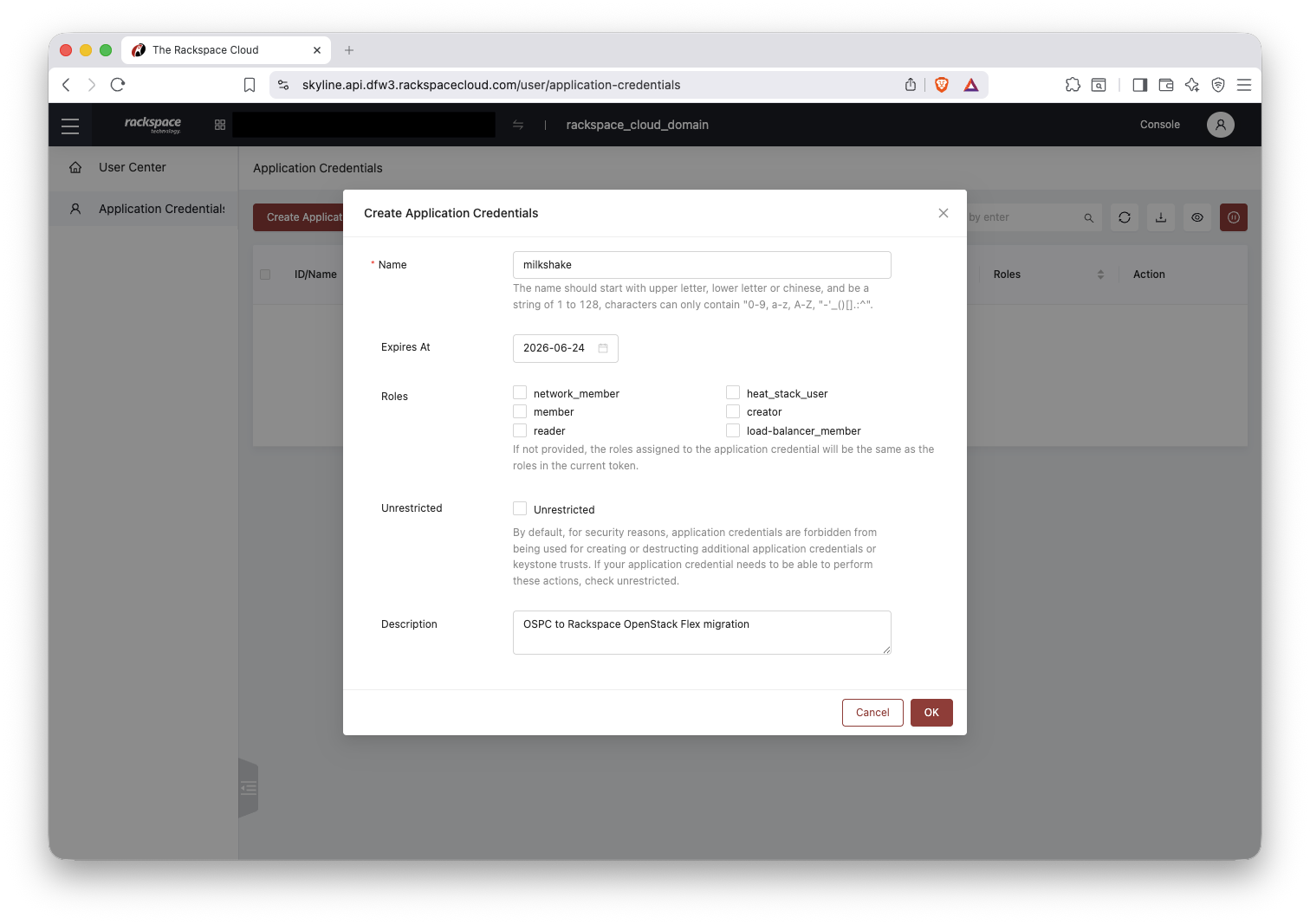
- Select Application Credentials, then click Create Application Credential.
- Give it a name and an expiration date long enough to perform your migrations, or a new credential will be needed after it expires.
- Leave Roles empty; the credential inherits your current capabilities. Click OK.
- Save the credential locally; the secret is shown only once.
Open the saved credential and copy the id and secret to log in:
Or create the same credential from the command line:
The secret is shown only at creation. If you lose it, delete the credential and create a new one.